 Mutify
You open the lid. Yesterday's playlist fills the room.
It only has to happen once. Mutify takes the volume to zero on any Wi-Fi you haven't vouched for — and never touches your headphones.
macOS 14 or later, Apple Silicon. Signed and notarized — no Gatekeeper detour. No account, no analytics, no updater.

Where it bites
Every room has a volume nobody agreed on out loud.
-
The coworking space
You open the lid to check one thing, and the trailer you left paused on the train plays to eleven strangers in a room with no walls.
-
The open-plan office
Stand-up has started. Your Mac wakes onto the meeting-room display, and a display over HDMI is a speaker like any other.
-
The lecture hall
Two hundred people, one notification, and every one of them now knows whose laptop it was.
-
The café on Thursdays
Not silent, but not yours either — and the table beside you has been on a call for twenty minutes.
None of it is the volume slider's fault. You set that at home, where it was exactly right.
Mutify makes the call you would have made, a second before you would have made it — and puts the volume back when you're somewhere it's welcome again.
The rule
One decision, made the same way every time.
Every one of those rooms is the same two facts: the sound would come out of something the room can hear, on a network you haven't vouched for. That's the whole rule. Change either half below and watch the verdict move.
Where you are
What sound comes out of
Muted
Silence.
Headphones
Never touched.
If the sound is going into your ears, nobody else can hear it, so there is nothing to mute. AirPods, a USB headset, anything in the jack — Mutify leaves them alone in the library, in the café, anywhere.
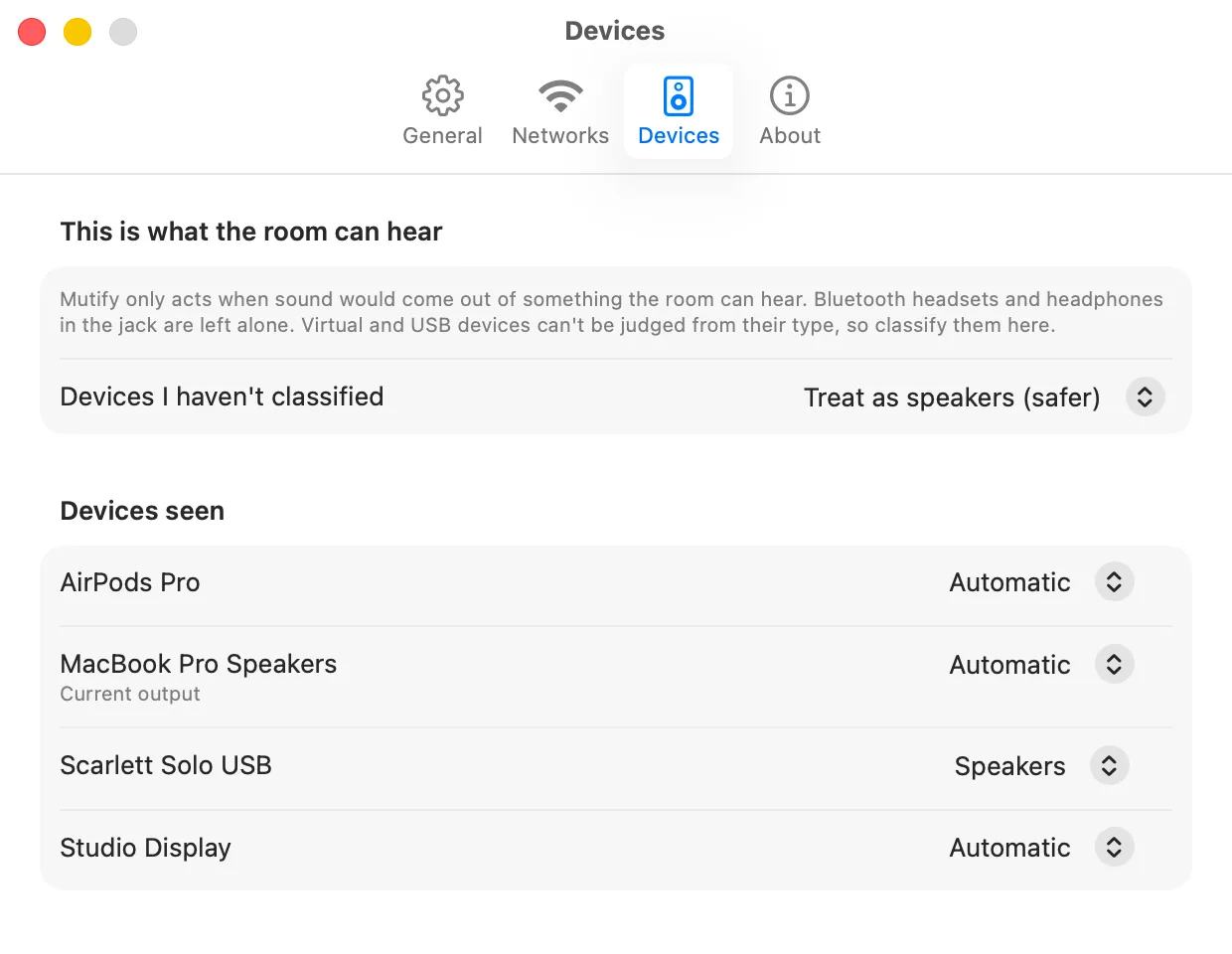
Everything else is classified for you: built-in speakers and a monitor over HDMI count as room-audible. Odd virtual and USB devices get a row on the Devices tab, and you decide.
Two lists
Deny wins.
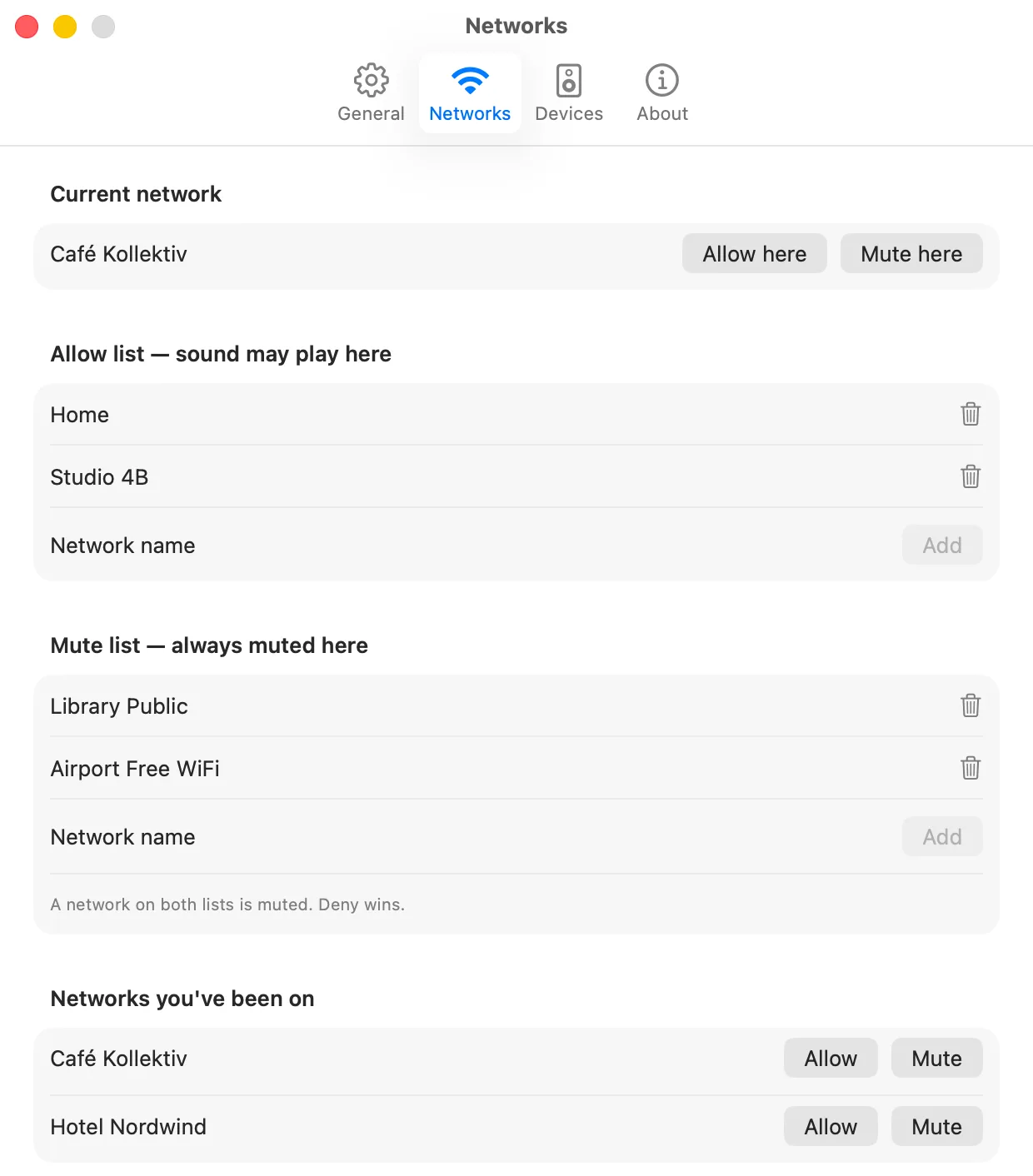
Put the networks where sound is fine on the allow list. Put the ones where it never is — the library, the office, an airport — on the mute list. When a network is somehow on both, the mute list wins.
- On the allow listSound allowed
- On the mute listMuted
- On neither, or no networkYour call — muted by default
- Nothing identifies itStands down, with a warning
That last row matters: Mutify never mutes on a guess.
Getting out of it
Five ways to say “not now”.
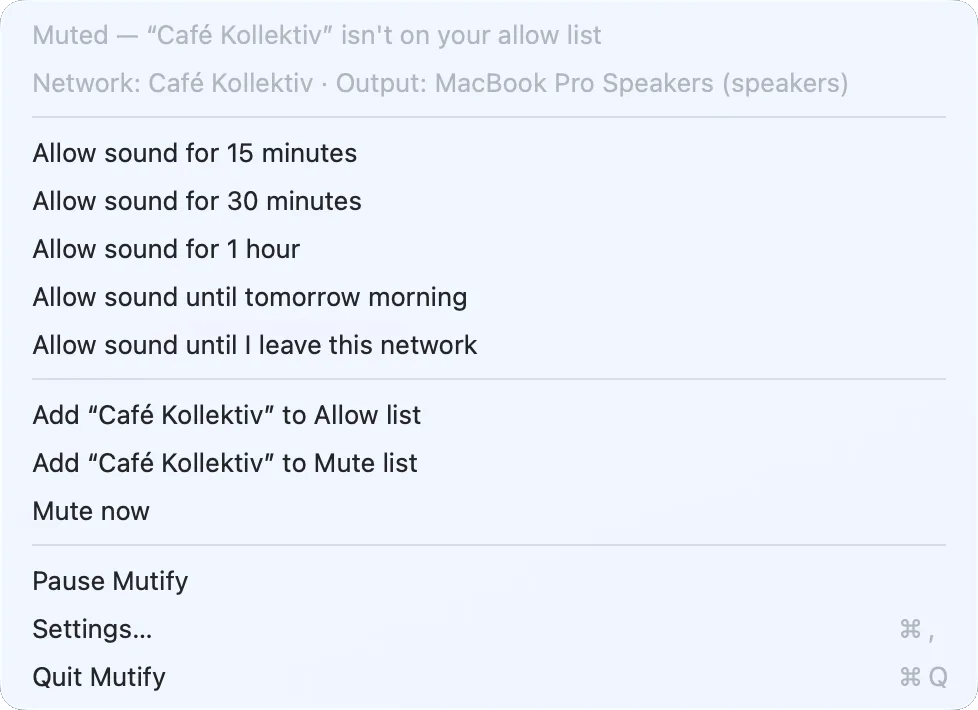
Allow sound for fifteen minutes, half an hour, an hour, until tomorrow morning, or until you leave this network — plus an indefinite pause for the days you just want it to stop.
A volume Mutify lowered is put back when sound is allowed again, on the device it lowered, and only if you haven't changed it yourself in the meantime.
Privacy
Nothing about your location or your networks ever leaves the machine.
There is no account, no server and no analytics — there's nowhere for any of it to go. macOS won't hand out Wi-Fi names without Location access, so Mutify identifies a network by its router's hardware address instead, which needs no permission at all and tells two cafés called FRITZ!Box apart. Grant Location access and you get the real names too.
The price
Ninety-nine cents is the floor, not the price.
Mutify is MIT-licensed and the DMG sits on a public GitHub release — you can have it for nothing, and that's fine. Paying is how you tell me it was worth building. Pay the floor, or pay what one saved moment was actually worth to you.
- One-offNo subscription, no upgrade fee
- RequiresmacOS 14+, Apple Silicon
- SizeA 1 MB DMG, signed and notarized
- RefundsEmail me, no questions
Choose your price
Card, Apple Pay, Google Pay and Link, handled by Stripe — the card never touches this site. VAT included. The download starts the moment the payment clears, which means you're waiving the 14-day right of withdrawal; the no-questions refund stands anyway. Terms and imprint.